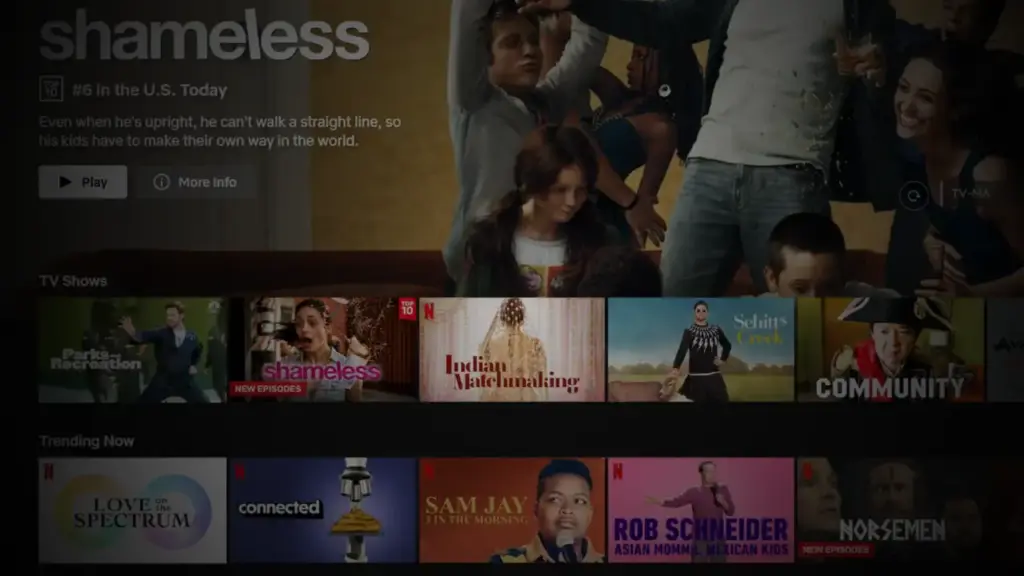
Reezn App Download (Official) Latest Version 2026
Enjoy FHD streaming of live TV, sports, movies, web series, and other on-demand content from various genres only on the Reezn TV App, which is a totally free online streaming platform that makes it easier for you to discover hidden gems with its smart recommendation system and watch movie online on your Android, PC and Smart TV devices.
✅ Verified APK – 100% Safe to Install
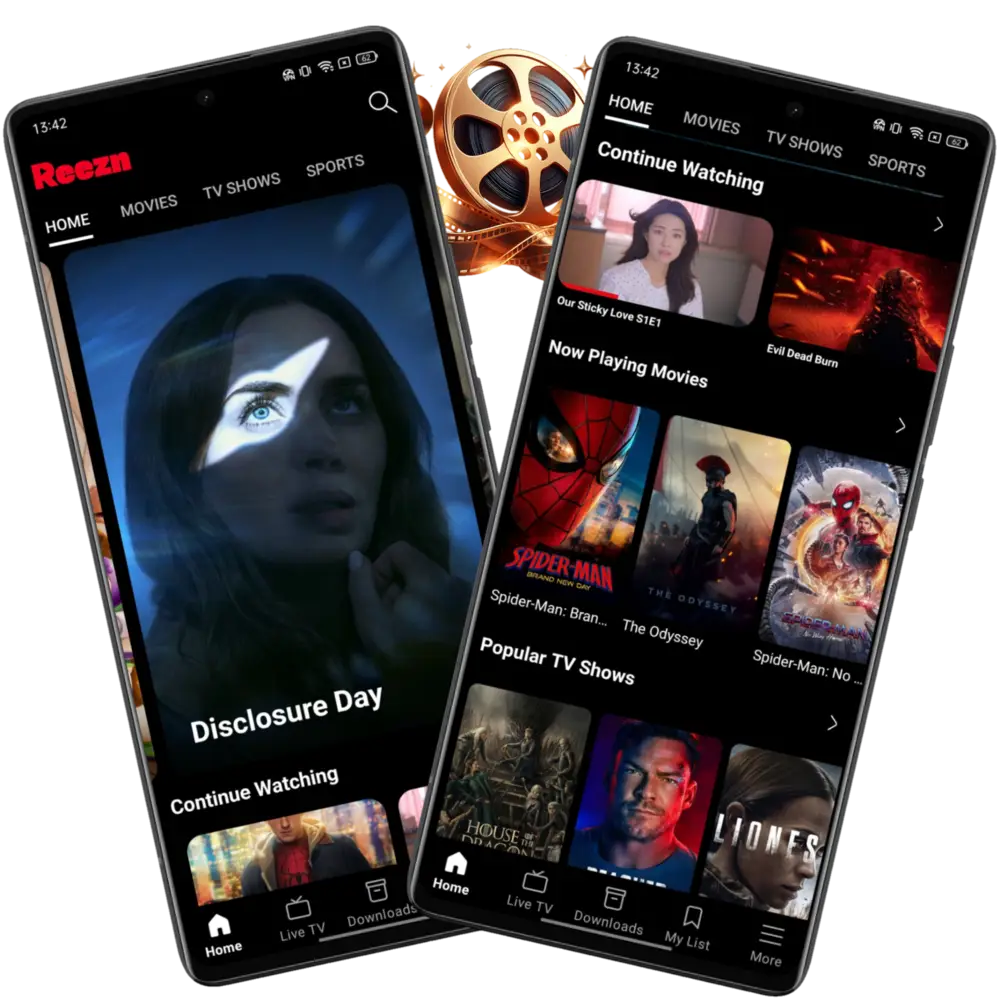
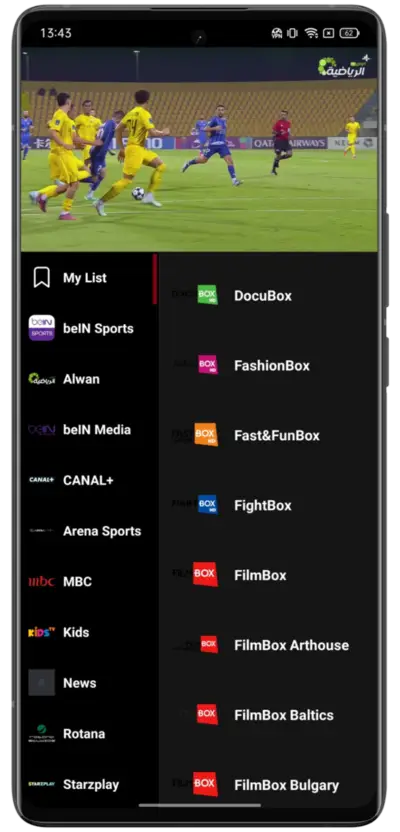
Reezn TV is a globally used international online streaming app that contains thousands of on-demand titles such as movies, TV series, and dramas. It also features a dedicated live TV section in the bottom navigation that unlocks access to 400+ channels from 30+ countries to watch live sports, news, and reality shows. Reezn app can be downloaded for free and works on Android, iOS, and Smart TV devices, offering high-quality visuals with its built-in media player and uninterrupted playback.
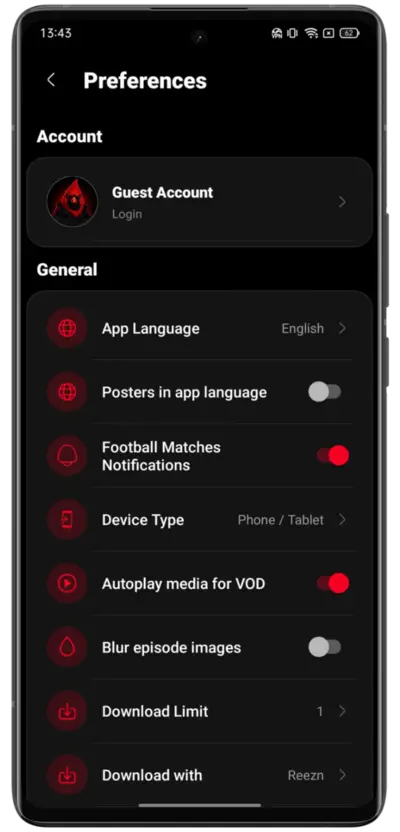
Many titles that are restricted or not released in your region yet can be viewed on Reezn, as it regularly updates its library, so newly released movies and TV shows are available instantly. The UI is quite minimalist with a simple dark theme, but the settings option provides various customization features to adjust app language, poster size, football match notifications, and many more to personalize your experience with the platform.
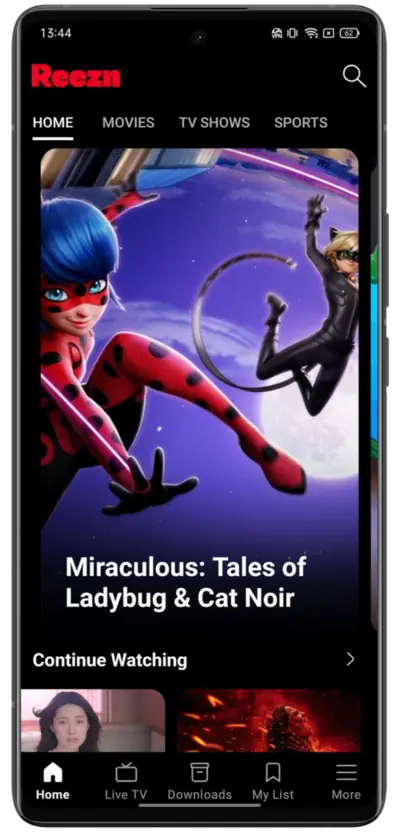
Just in case you’re not comfortable logging in or signing up on this app, you can just skip that process and continue using Reezn TV to watch content online without any compromise. You get a personalized home feed that recommends movies and shows based on your viewing history and also offers a continue watching section on the home feed to quickly catch up with the movies you left midway.
Reezn TV has established its fan base across the planet but widely recognized in Morocco, Algeria, Kenya, USA, and South Africa. It is packed with a boatload of features, and knowing what they are beforehand of the installation can help you get the most out of them. Scroll down to explore everything this app has to offer and get the latest official version for your device.
What is Reezn TV
Reezn TV is a versatile and robust app that offers unlimited entertainment and high-quality playback. Users can explore a large library of movies, series, and TV shows from all genres to watch online for free. It requires a fast and stable internet connection, but the vast server infrastructure mentioned in this app ensures users can enjoy bufferless streaming of HD videos.
With Reezn TV app, you can choose the video quality as per your liking, and the app gets updated with new titles and episodes almost daily. It allows you to make a favourites list so you can easily access the content you stumble upon or like and watch to check out later in the future. The app provides exclusive content from a variety of popular OTT and streaming services, and you can download videos in selected quality for offline viewing.
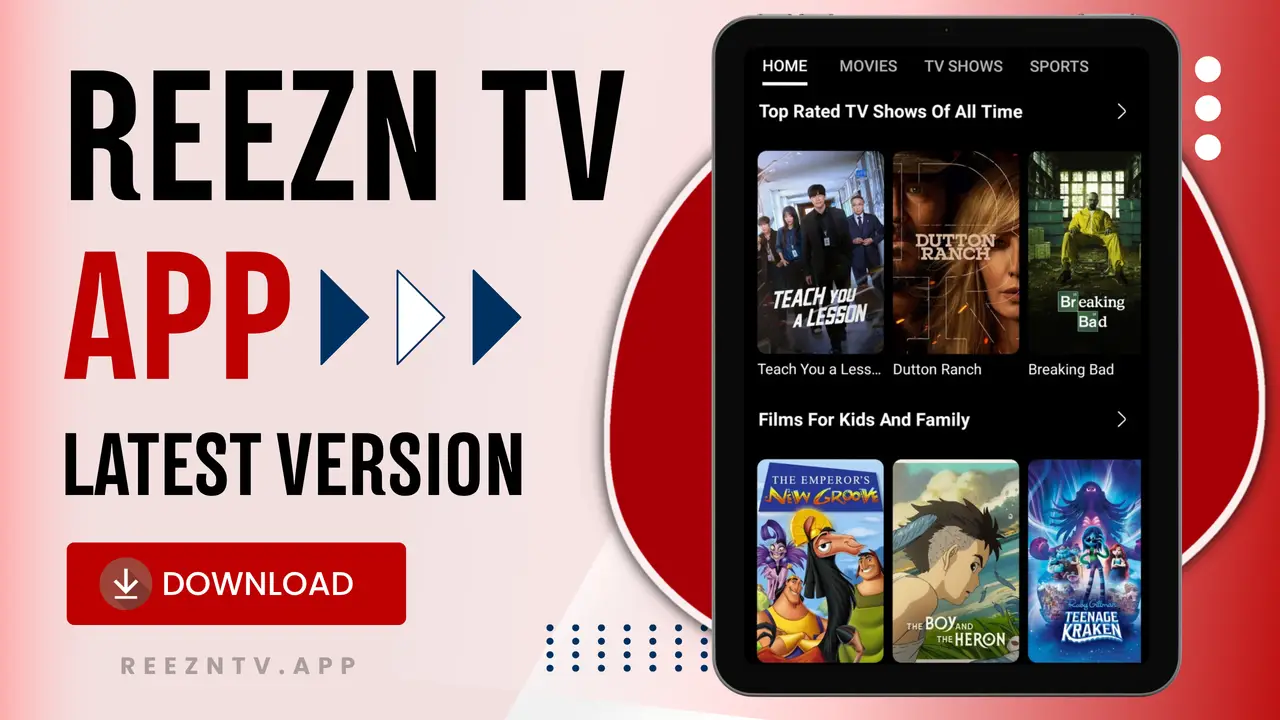
Top Features of Reezn TV
Reezn TV is a fully loaded, all-in-one streaming platform with everything one could imagine. You can watch on-demand videos and real-time sporting events in full HD quality without ad interruptions. Here are a few attributes that make it a top choice.

Elegent UI
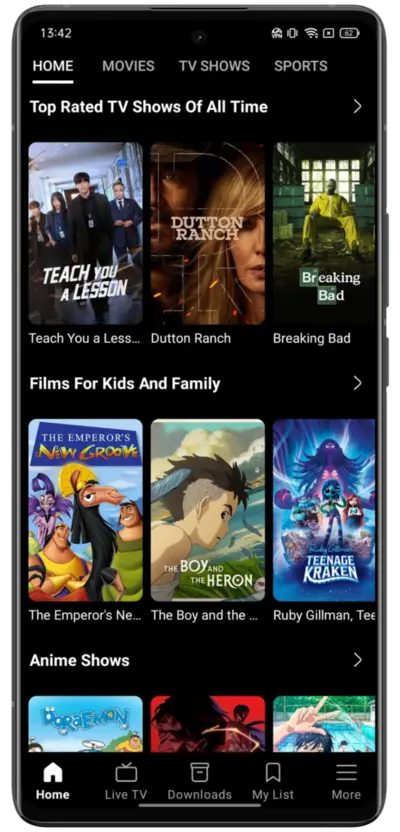
The app’s interface is categorized under certain genres and sections that provide a well-organized layout that makes navigation and hunting for content easier for the user’s part. There are a lot of options, filters, and settings to go through, and it can be overwhelming, but the simple approach of this app makes it much more comfortable for an individual to use this app and utilize all the advanced features without cluttering the layout.

Regional/international TV Channels
Without requiring a cable TV setup, you can get access to hundreds of live TV channels to watch reality shows, news, and sporting events, including international matches and World Cup tournaments. You will never miss a match; even when you’re traveling, you can use the Reezn TV app on the go on your phone to stay updated with news and matches. The vast TV channel list is categorized by genre and country name.

Ad-Free Streaming
Reezn TV is going nuts because you can watch full ad-free anime movies for timeless hours! You can browse through its massive library or stream anime movies without interruption, and that’s not all; when watching a movie or live TV online directly through the app, there are no pop-ups or annoying ads showing up on the screen. The interface is ad-free, allowing every user to navigate and enjoy ad-free entertainment.

Custom Watchlist
Creating a custom watchlist is like having a personalized digital bookmark manager that lets you curate and add movie titles you planned to watch later or liked so much to check again when needed. This acts like your personal movie treasure; you can give your watchlists a unique name and can neatly organize content in your own set orders. This makes it easier to keep track of interesting titles and organize your personal library in one convenient place.

Default VOD Extractor
The video content is extracted by third-party clients and sources like VidSrc, DramaBox, HdoBox, and many more. Based on your preference, you have the option in the settings to select a default extractor that will be automatically selected whenever streaming a video from this app.

Built-in Media Player
Its media player is quite premium and easy to understand. It has all the features, like gesture control for brightness and volume. Easy to adjust video resolution, VOD extractor, subtitle language, and features a lock option that you can use once you’re done with all the adjustments to disable all the controls and avoid accidental touches.

Subtitle Languages
A large collection of content is dedicated to international content such as anime, Asian drama, and Spanish TV series. To watch them, subtitles are a must, and the app provides subtitles for all videos in different languages. Users can enable, disable, or adjust subtitle delays directly from the media player.

Download Videos
For downloading, you can stick with the Reezn TV built in downlaoder but if you want more control over video format, quality, and other customization, it is recommended to use ADM or 1DM Downloader, which works well with this app. Once downloaded, it can be saved on your device’s local storage until you delete it manually, as there is no auto-expiry like Netflix.

Customization Settings
Go to the ‘More’ option and select ‘Preferences’. Now you can see various customization settings to shape the app UI based on device type, change subtitle appearance and text color, refresh TV channel data, and set the default aspect ratio for video streaming. Users can also change the subtitle source and manage custom TV playlists. These settings give users greater control over their viewing experience.

Data Saving Mode
A really helpful feature for those who use cellular data or travel quite frequently. When streaming HD videos on the Reezn TV app, it consumes 2GB-3GB per hour on average. But when you enable the data saver mode in this app, it sets the video extractor to compressed mode and disables the 1080p or higher resolution option in the app to save up to 30% data usage.

Each OTT platform, like Netflix, Prime, iQIYI, Viu, and others, have their own exclusive content collection that is only available on that platform, but Reezn brings all of them in one place, eliminating the need to install multiple apps and manage their subscriptions. Instead, you can use Reezn TV and watch exclusive OTT series or dramas without spending money on a membership for it.
Download Reezn TV APK Latest Version 2026
| App Name | Reezn TV |
| Latest Version | V2.0.19 |
| File Size | 35 MB |
| Requirements | Android 7.0+ |
| Category | Entertainment |
| Ratings | 4.7 (★★★★☆) |
| License | Free |
| Updated On | 6 Hours Ago |
How to Download and Install Reezn TV on Android?
Users have to go through just a few necessary steps that involve a minor tweak in the device’s settings. The 100% safe method to install the Reezn TV app is explained below in brief, so read thoroughly.
Step 1. Download Reezn TV APK
Get a reliable source or official site for the Reezn TV APK, and then tap on the Download button on the webpage. It will initiate the download of an APK file. Go to the browser’s download section and wait till the download is finished.
Step 2. Enable Install Unknown Apps
Go to the home screen, open the Settings menu, and search for “Install Unknown Apps”. Tap on that option and click on the toggle icon next to it to enable it.
Step 3. Install it:
Open the Files app and go to the Download folder or the path where the Reezn TV APK file is saved. Click on the file and tap the Install button in the pop-up window. Wait for a few seconds, and it will be installed shortly.
Step 4: Configure & Start Streaming:
Look for the Reezn TV app icon on the home screen of your device and tap on it to open the app. It may ask for device type, app layout, and language. Fill in the right info to configure the app properly. Now, you get access to its vast content library, and it is ready to be used.
How to Install Reezn on Smart TV?
Bring hundreds of television channels in a traditional format and thousands of movies and shows to your TV with the Reezn TV app, which you can install by following the given steps for uninterrupted viewing.
- Connect your TV to a stable wifi and then navigate to Settings > Security & Restrictions
- Select the option labeled Install Unknown Apps and click ‘Allow’ or tap on the toggle icon to enable it.
- Open a default browser app on your TV and search for the ‘https://reezntv.app/‘ website.
- Tap on the Download button to get the latest Reezn TV APK file on your television.
- Use AnExplorer File Manager and go to the Download folder.
- Click on the APK file and select the Install option to initiate the app installation process.
- Now go to the installed apps section on the home screen and tap on the Reezn icon to launch it.
How to Install Reezn TV on PC/Laptop?
Although it is not natively compatible, you can use an Android emulator to install the Reezn app on your PC and enjoy free movies and live TV channels on your desktop or laptop.
- Start by visiting the BlueStacks official website, then download the emulator on your PC.
- Click on the downloaded app file to install the Android Emulator and configure it.
- Once done, launch a browser and search for the Reezn TV app and download the APK file from a trusted source.
- Launch the BlueStacks emulator and tap on the Install APK option and select the Reezn TV APK file.
- Tap on Install, and the app will be installed instantly within seconds.
- Now, the Reezn app icon is visible on your home screen as well as inside the Android emulator.
How to Use Reezn TV Efficiently
If you’re a first-time Reezn user and prefer streaming content online from the Reezn TV app, take a look at this is a detailed walkthrough that will help in getting started with this app without any hassle.
- Once you have installed the updated Reezn TV app on your compatible device, tap on the icon to launch it.
- It may ask you to sign up or log in. If you want to create a profile and sync it across all your devices, do so. Otherwise, you can continue without registering by tapping the ‘Skip’ button.
- After that, the Reezn TV app dashboard will open on your screen, and you can explore its content library.
- On the home feed, there are various sections such as Home, Movies, TV Shows, and Sports, so go to your preferred section to explore desired content.
- Select the title you want to watch, and when you find content of interest, tap on that title. It will prepare the subtitles, load content using the most stable server for you, and start streaming the content.
- Play the video in full-screen mode and make adjustments like changing the video resolution, subtitle language, aspect ratio, or playback speed if needed. Then tap the lock icon to avoid accidental touches and enjoy watching the show.
How to Update Reezn TV App?
Mostly, the app itself reminds users when a new version arrives and shows a pop-up on the screen to update the app. However, you can take the given tutorial into consideration to manually check for and update Reezn TV app.
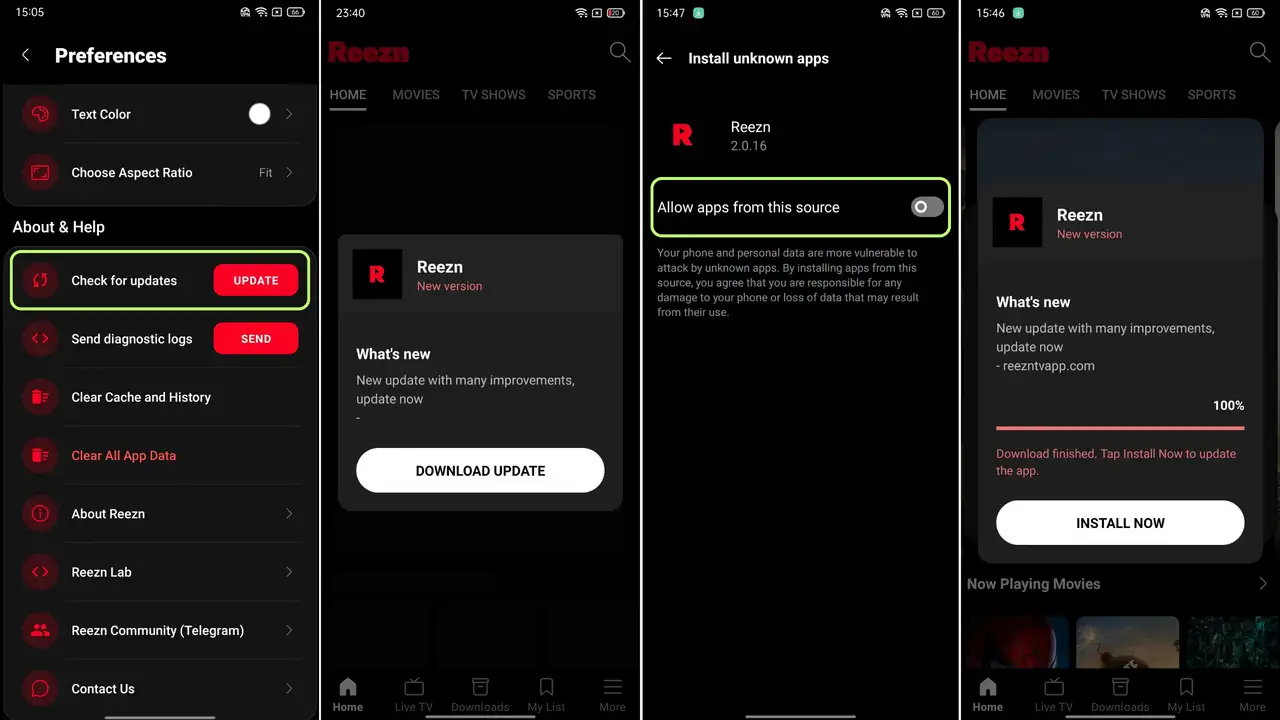
- Launch Reezn TV and go to the ‘More’ section, then select Preferences and scroll down to the bottom.
- Tap on the ‘Check for Update’ button, and if a new version is available, it will show a pop-up on the screen.
- Click on the ‘Download’ button mentioned in that pop-up to start downloading the latest Reezn TV app.
- Once downloaded, click on Install, and if it asks you to allow installation from this source, toggle it on.
- Go back and tap the ‘Install’ button again. It will start installing the latest version, and the app will be updated.
Troubleshooting Tips
- Sudden Stream Disconnections: Maybe the server is going through some technical faults. Simply start playing the same movie again, but select a different server from the source option.
- Video Keeps Loading: Initially, the app takes some time to load content, but once the stream starts, it usually performs very fast. However, if the buffering irritates you, change the VOD extractor in the app settings
- Audio & Subtitles are out of sync: An option called Subtitle Delay is available in the built-in media player of the Reezn TV app that you can use to fix the subtitle and audio sync issue and make them in line.
- Black Screen Issue: In regions where the app is not available, the app shows a black screen only. To fix this, users are required to use a VPN and then relaunch the app to unlock its content library.
- Live Stream Delays: When you pause the live TV channels, the video might get delayed, and to fix this, you will have to exit the stream and start again to catch up with the live stream.
Pros & Cons
Pros:
Cons:
FAQs
Conclusion
Reezn TV is a dynamic entertainment platform or a streaming app that has a diversely rich content collection offering all types of movies and shows. It has a huge database of films and popular series with regularly updated episodes. Everything in this app is categorized by category, language, genre, and release year, making it easy for individuals to browse through the feed to explore relevant titles.
This platform gives an option to download videos and be able to watch your preferred movies even when there is no internet connection. The vast range of languages that are served in this app attracts users globally. Users can also find dubbed anime and foreign-language films. Along with Hollywood movies, TV series, and dramas, it has exclusive titles from popular OTT platforms such as Crunchyroll, Netflix, Prime, and 20 more.
Stay updated with the latest trends as Reezn regularly adds new releases to its growing library. With HD-quality streaming, zero ad interruptions, and a clean interface, it’s a solid choice for anyone who likes to keep up with the latest films. If that sounds like your kind of streaming experience, Reezn TV is worth a look!